Say Goodbye to Guesswork: Tag Your Leads and Measure Campaign Success
Launching a campaign and getting many responses is good. Understanding if these responses are good for your business is MUCH better. 🔥
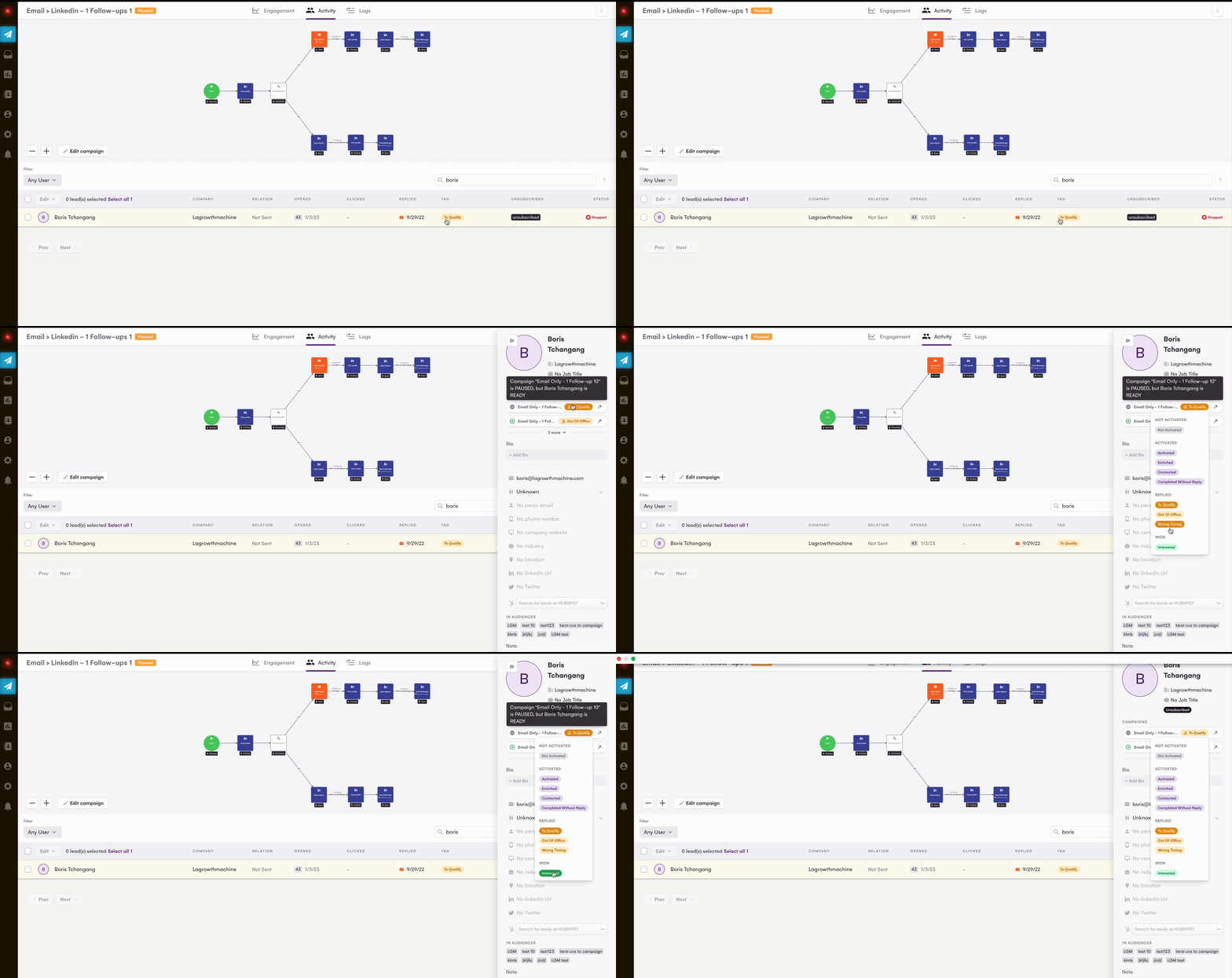
Since April 27th, 2023, LGM gives you the ability to directly qualify your leads with a tag to measure and analyze the results of your campaigns more accurately. With lead qualification by tag, identify the most promising leads and focus on them.
1/ Qualify the leads of your campaign and identify at a glance the leads that you must not let go of.
The leads who responded to your campaign get tagged as To Qualify. Different tags are available to qualify a lead within a campaign. leadqual.gif6.95 MB
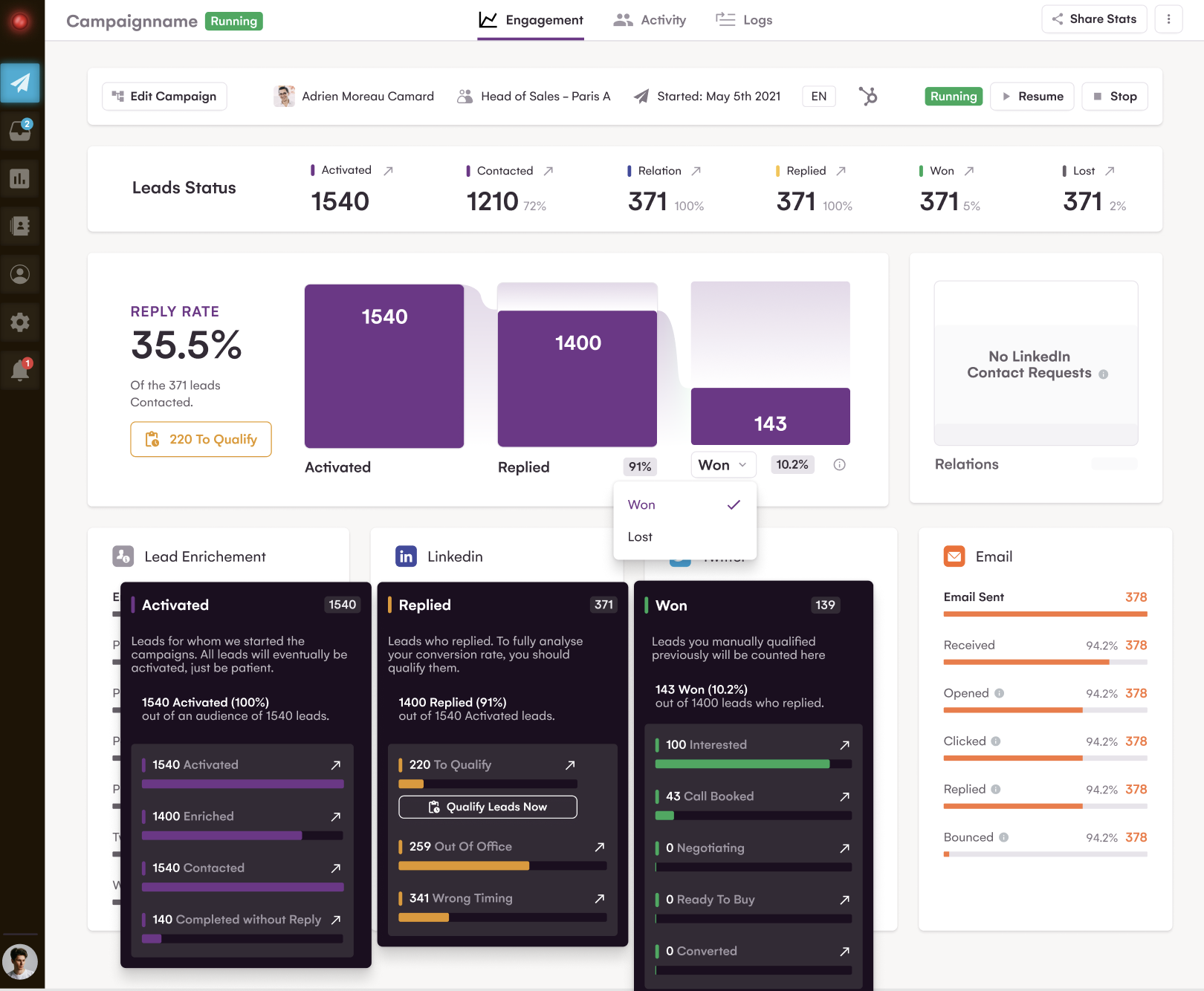
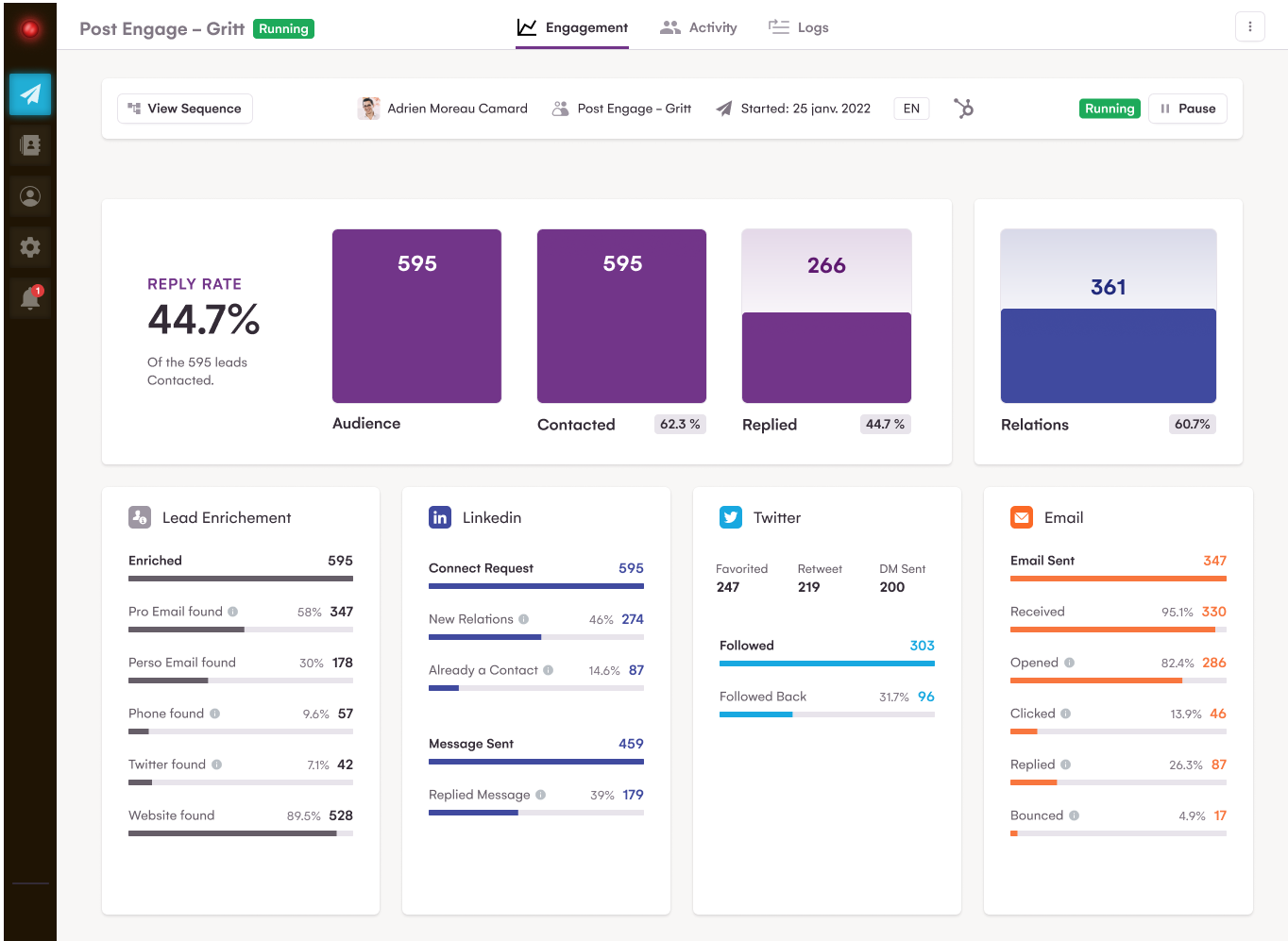
2/ Analyze your returns more accurately
You can now distinguish "automatic" responses from responses that bring real value. analyseleadqual.png435.27 KB
Lead interface: some UX improvements to make your life easier! 👌
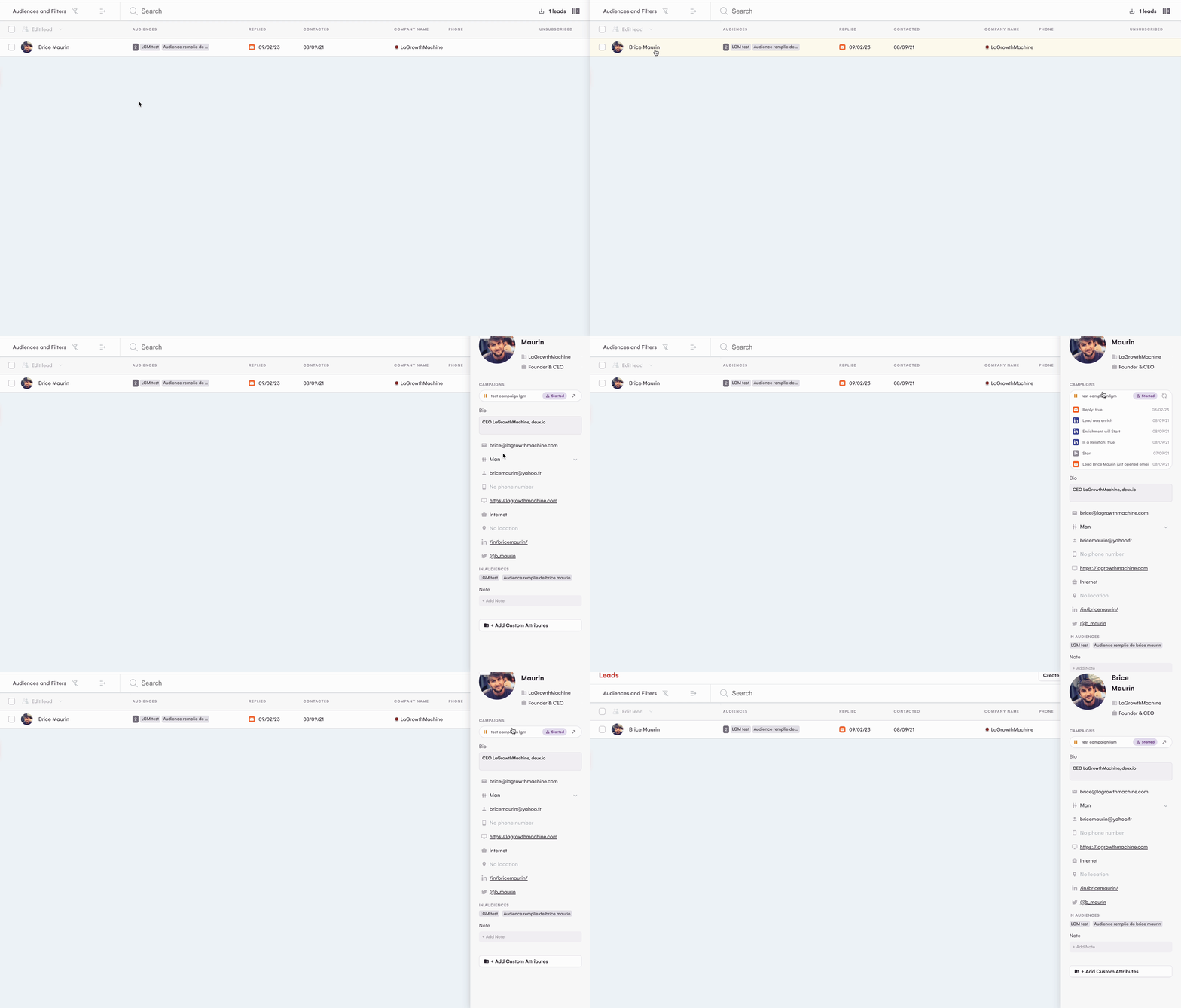
At LaGrowthMachine, user experience is our top priority. That's why we recently made improvements to the Leads interface, including updating the lead form.
These UX improvements make it easier and faster for you to access all the information you need to track and manage your leads. You can now identify the status of your leads in a campaign at a glance.👀
We've also made the same changes to the Inbox page for better alignment.
To improve ease of access and user comfort, we have relocated the filters bar from its original position on the left-hand side of the interface to the top of the interface.
Use the Unsub and Resub information in your favorite tools!
Some time ago, we announced the ability to unsubscribe or resubscribe a lead directly from LaGrowthMachine. But we didn't stop there! 💪
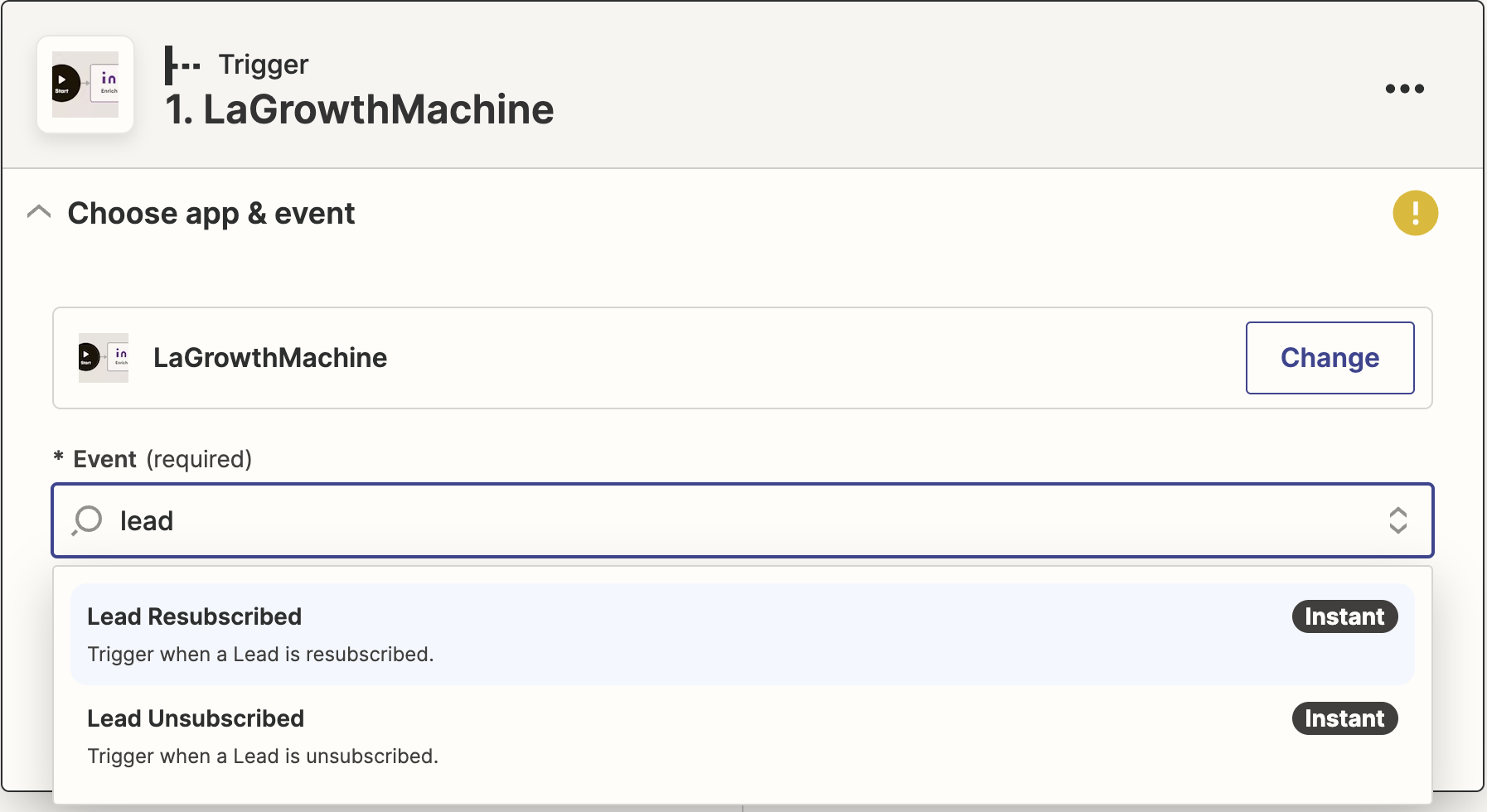
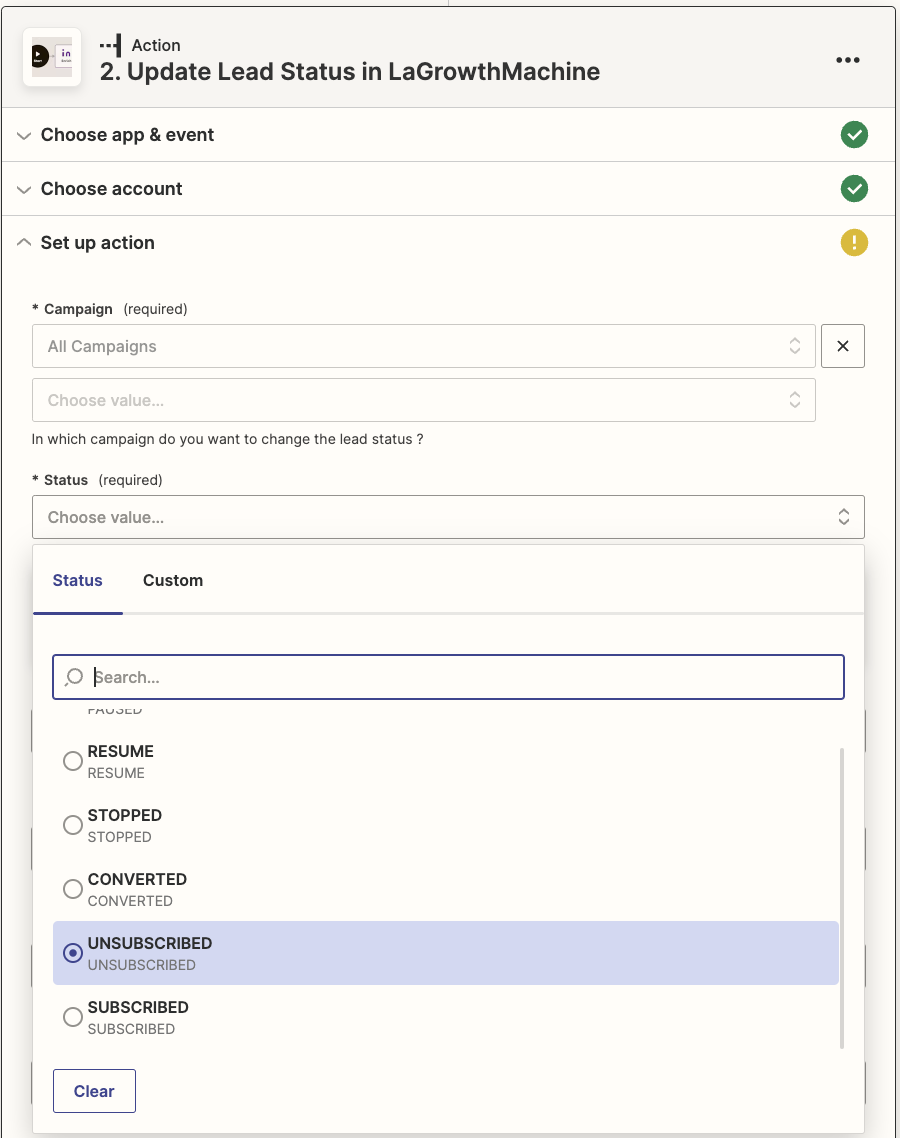
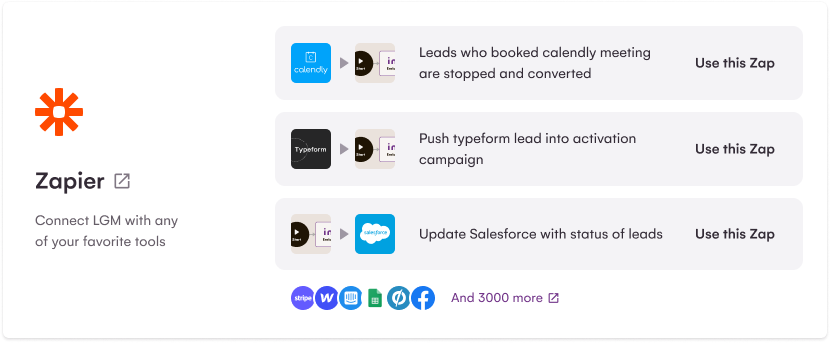
To help you use this data with your favorite software, we have added two new triggers (Unsub + Resub) that allow LaGrowthMachine to activate a Zap, enabling you to retrieve the information in a external software.
We understand that segmenting your audience can be a very long and tedious process 😩. That's why we've been working on ways to make your audience preparation more efficient.
📈A Lead interface that evolves
With this in mind, we have added two new columns to the 'Lead' interface that will enhance your lead management experience.
You will be able to : - View the lead's last contact date - View the last reply date and message - Reply in one click by redirecting to the conversation in the LGM inbox
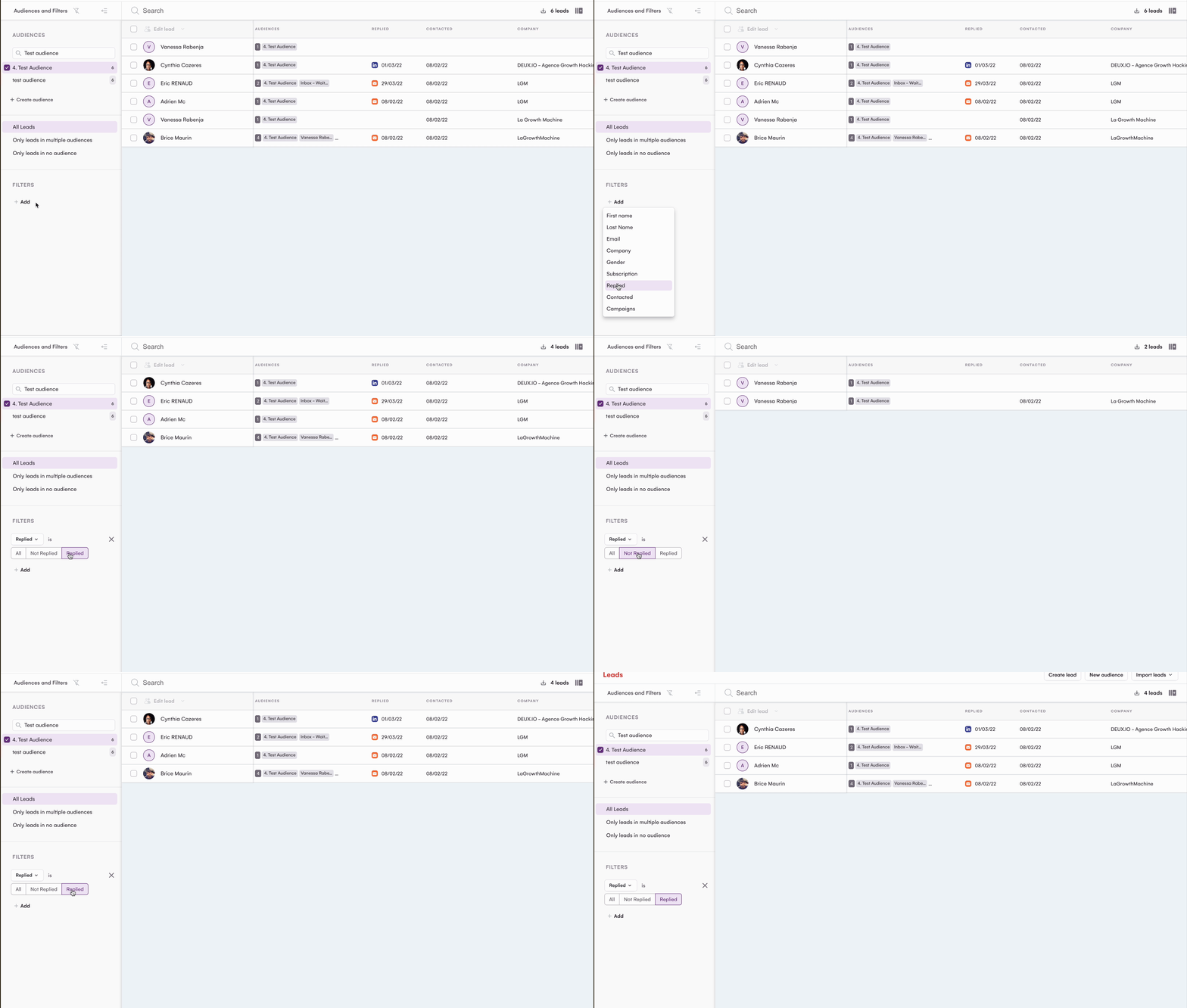
The Lead interface has been improved with new filters that will allow you to precisely sort the actions of your leads. The 'Replied' and 'Contacted' columns can now be sorted according to the following actions: - Not replied - Replied - Not contacted - Contacted
Unsubscribe link: some improvements that change the game
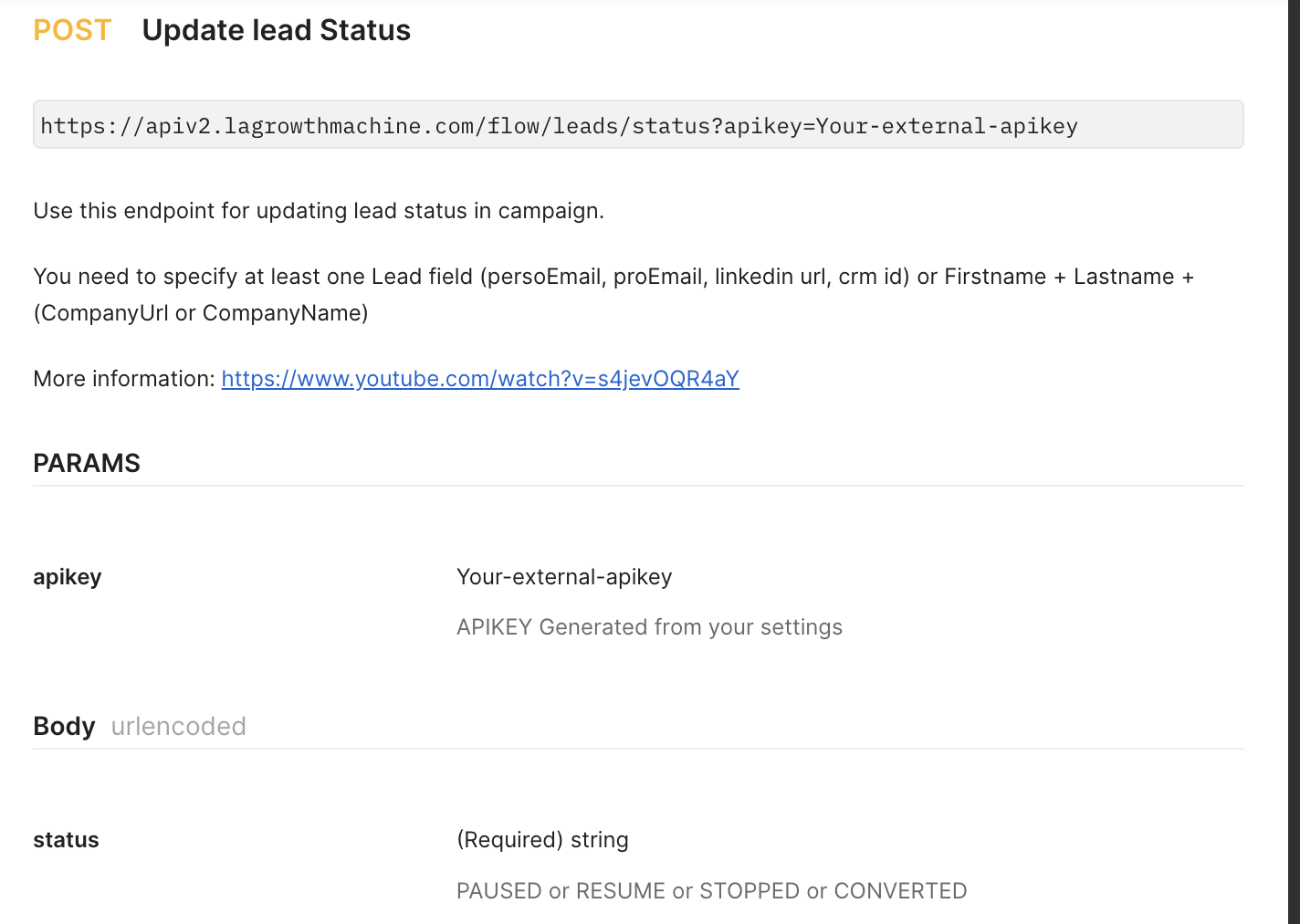
🖐 Unsub and resub a lead manually
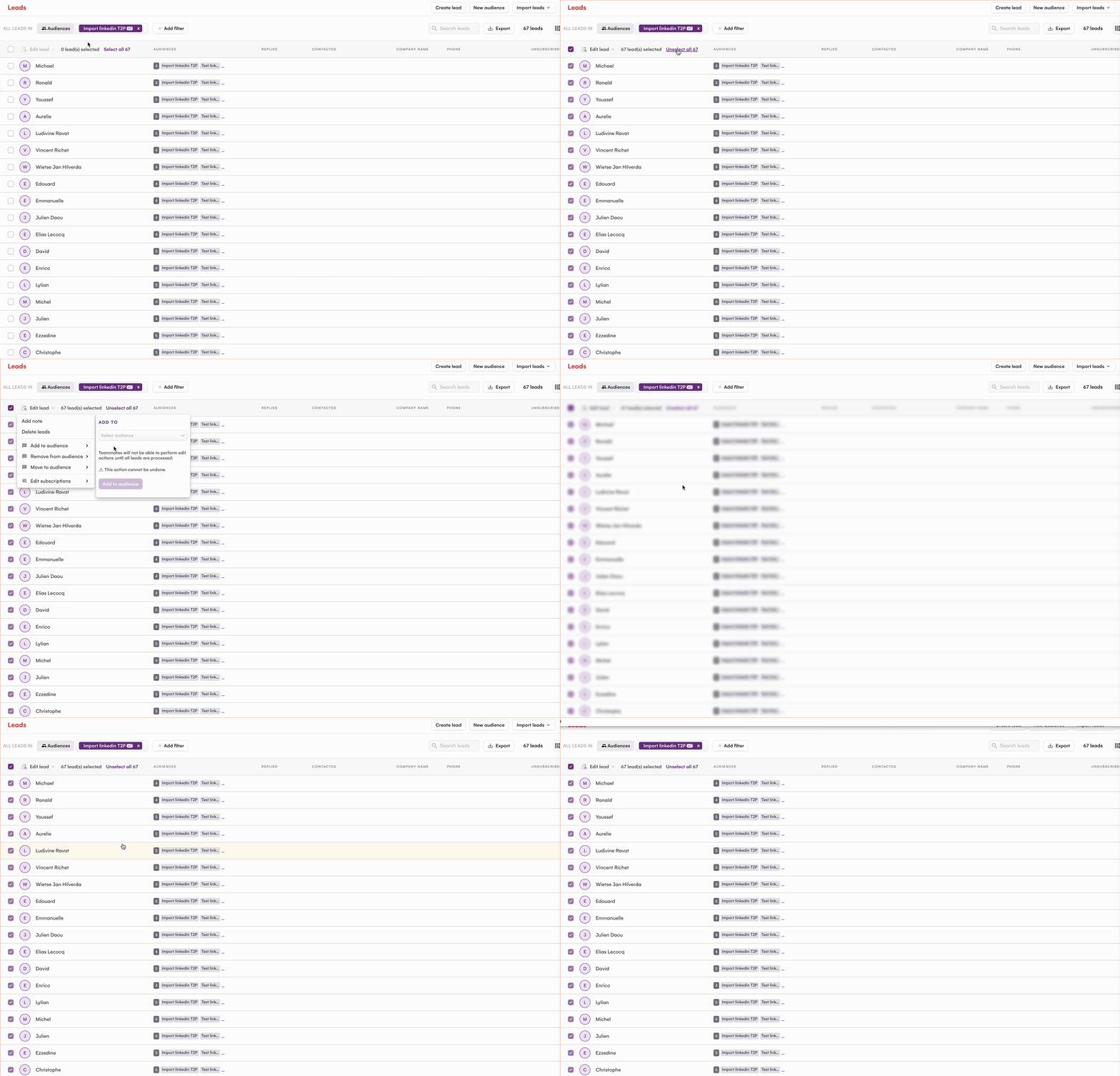
After several marketing relaunch, your prospect still does not respond? Or your prospect has clearly expressed that he is not interested, at least for the moment? To avoid contacting him again and again and losing him permanently, you can manually unsubscribe him from your future communications.
The manual unsubscription is possible from the 'Leads' interface as shown in the following video: Unsub from 'Leads' interface
A new product, a new feature or a new professional opportunity that matches your lead's expectations? It is also possible to resubscribe a lead manually from the 'Leads' interface: Resub a lead from the 'leads' interface
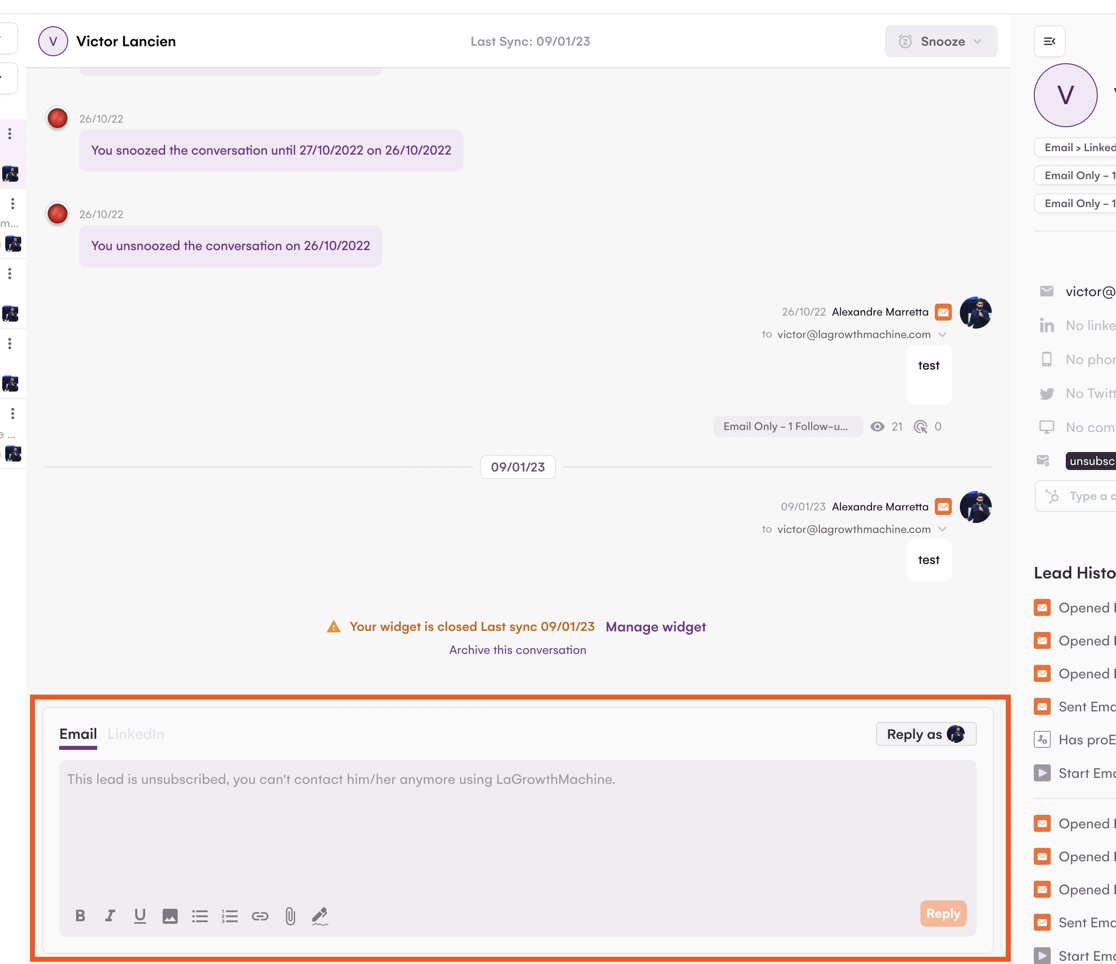
Please note that in order to be GDPR compliant and respect everyone's choices, you can only resubscribe leads who were manually unsubscribed. If a lead has unsubscribed themselves (by clicking the Unsubscribe link in your emails), you will not be able to send them any further communication or resubscribe them.
⚡️New filters available
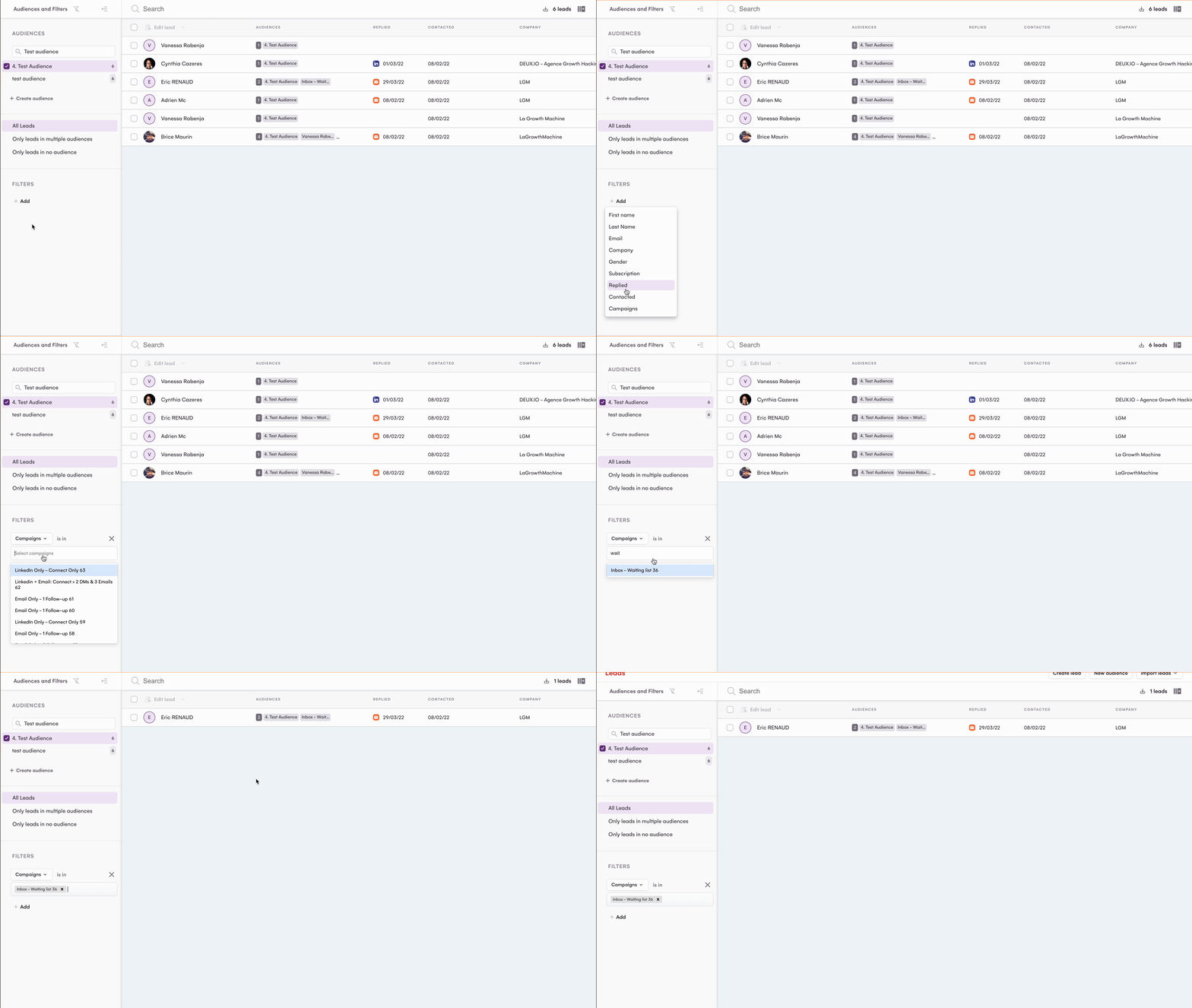
Check the status of your leads easily with our new filters! You can now filter by subscription type directly from the 'Leads' interface:
A lead has clicked on the unsub link? You have unsubbed then resubbed a lead? All actions performed automatically generate logs in your CRM. This gives you access to the status history of your leads.
Unsubscribe link: Now available on LaGrowthMachine!
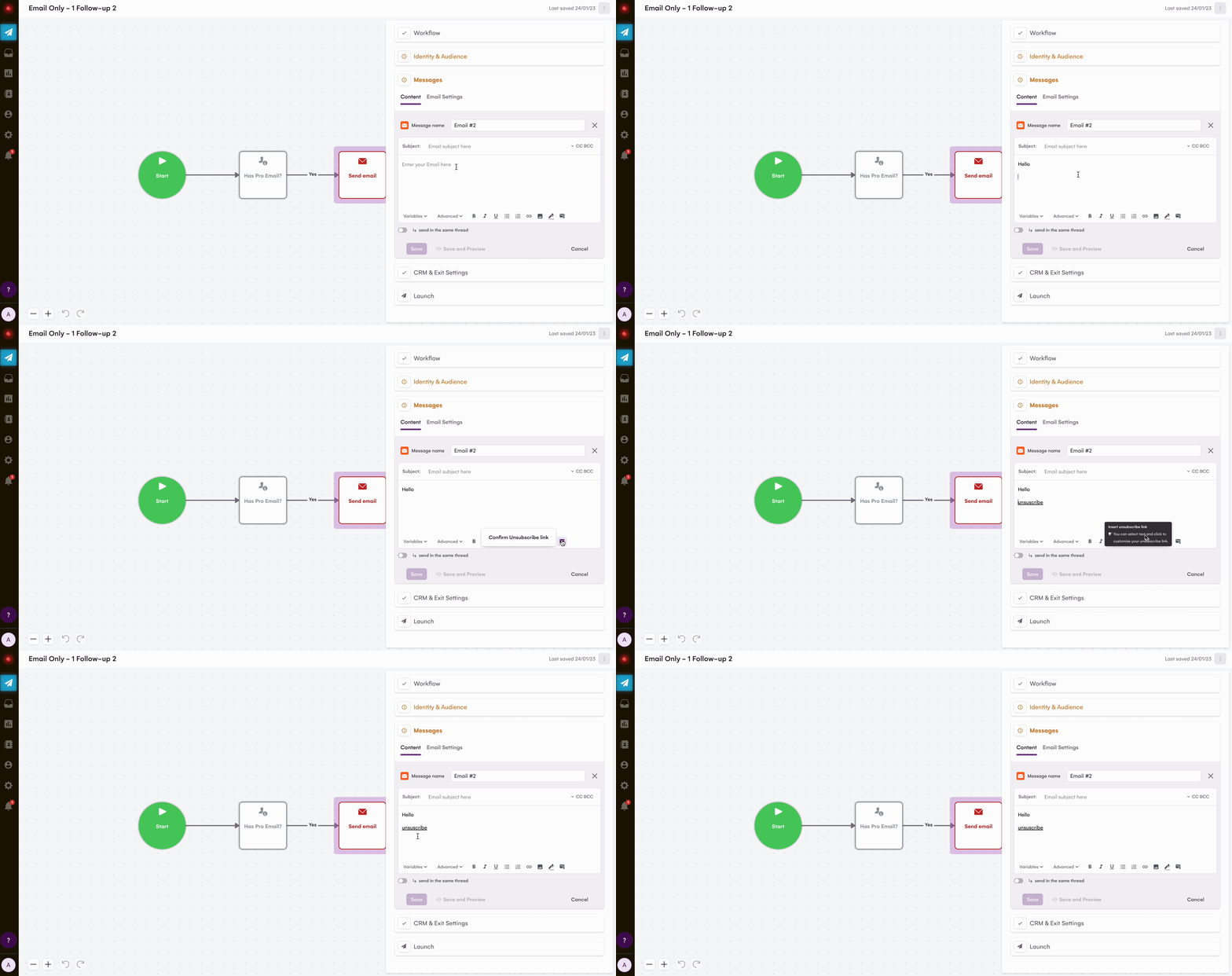
💌 Insert an unsubscribe link in your messages
Leads are sometimes grumpy 😑 and don't want to receive your emails anymore. To respect everyone's choices (and be GDPR compliant), it's important to give them the option to unsubscribe from your emails. And now, that's possible on LaGrowthMachine. 🎉
🤔 How does the unsubscribe link work?
It's really easy! All you need to do is click on the 'Stop message' icon, as shown below, and then click on 'Confirm Unsubscribe link'. This will allow the lead to unsubscribe from your emails (GDPR compliant) and they will be tagged as an 'unsubscribed' lead.
Please note that if a lead unsubscribes, you will no longer be able to contact them, even if you add them to another campaign.
For more informations about this feature, please check our FAQ.
🔄 Synchronize all messages sent from LGM Inbox to your CRM
Sales Team spend half of their time in their CRM 🤯. We acknowledged that, and updated our CRM sync feature. From now on, you'll find all your LGM inbox (DM and Email) conversations in your CRM, automatically sync'd. PS: It works for both Hubspot and Pipedrive, without any actions on your side to activate it.
You don't want to centralize all your messages in your CRM ? You can desynchronize conversations from LGM Inbox in 1 click.
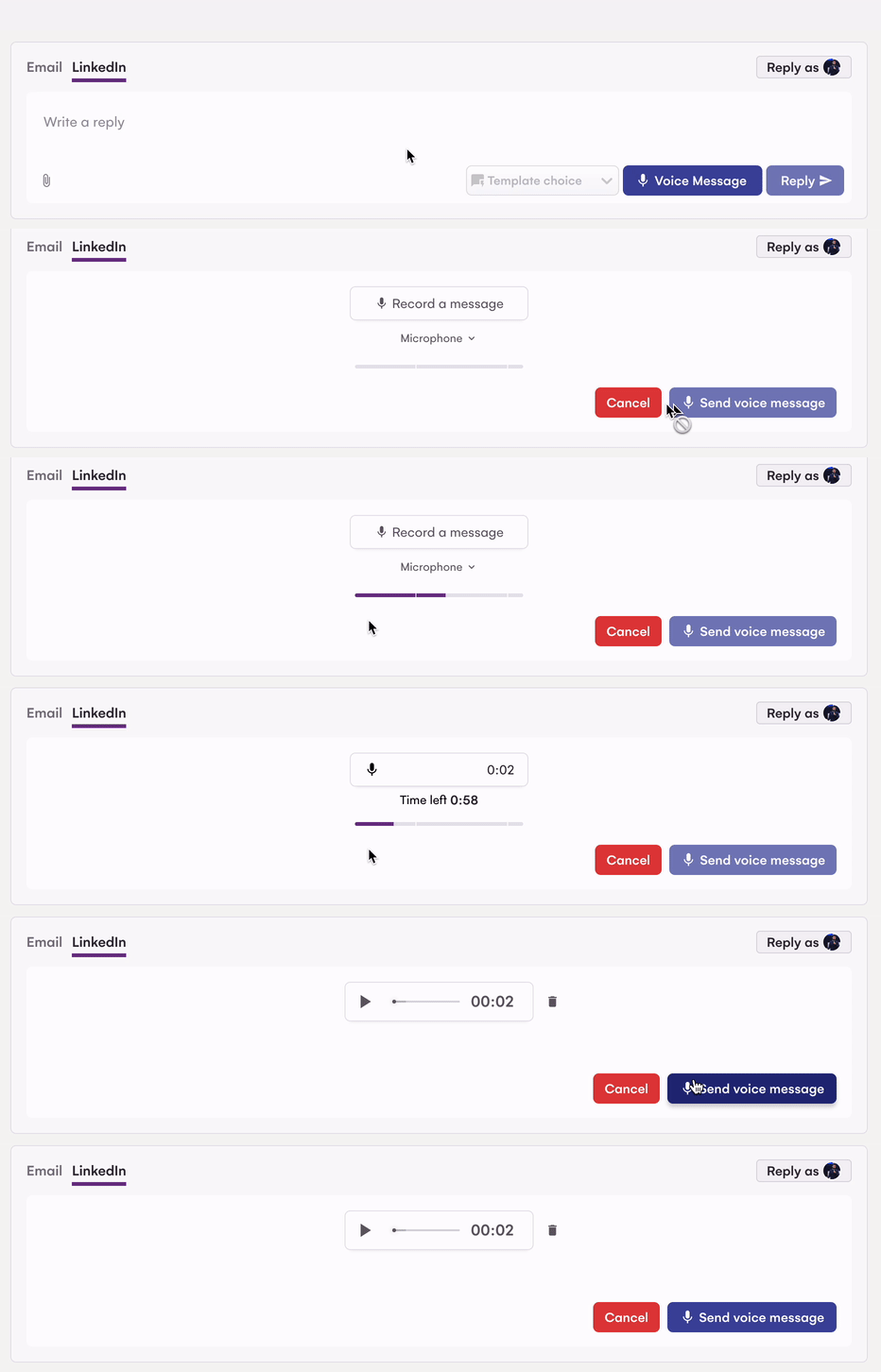
👄 Send Voice Messages from LGM inbox
Have you tried automated voice messages in your prospecting sequences ? Our users gets an average of 2x more replies when using them 😎. Now you can send Voice messages from LGM inbox ! How ? Just heads up to your Inbox, choose a conversation and you'll see a new "Voice Message" button.
Save Time with the new LGM Inbox Message Templates !
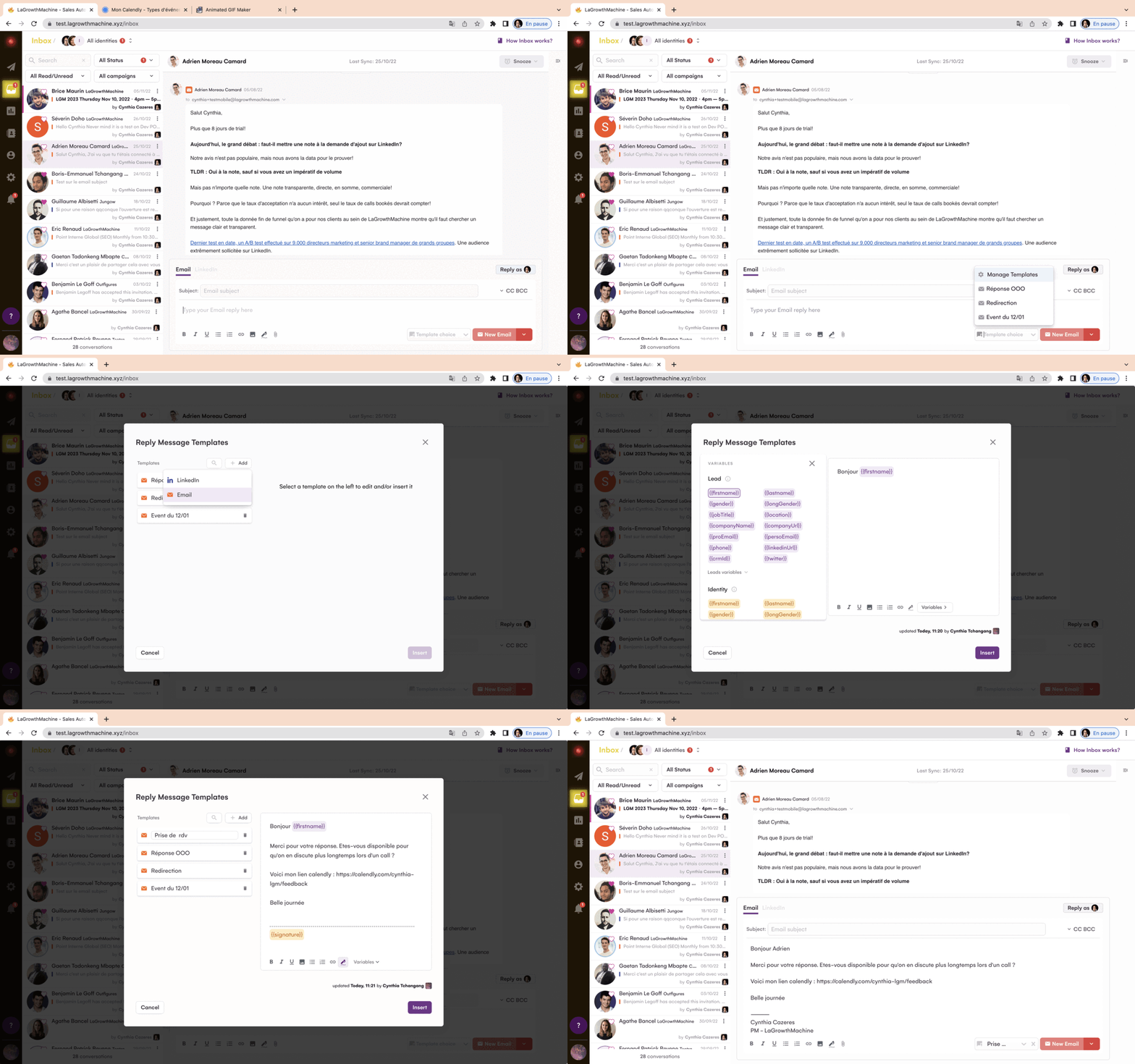
Are you tired of copying the same messages over and over again ? If you dreamed message templates for LGM Inbox, they dream no more 🥳 We just released it !
Create LinkedIn and Email templates straight from the Inbox, answer faster than ever.
1 - Create your template, using lead or identities variables
2 - Name and save your template
3 - Templates are available company wide ! All your team members can use them, from their LGM Inbox.
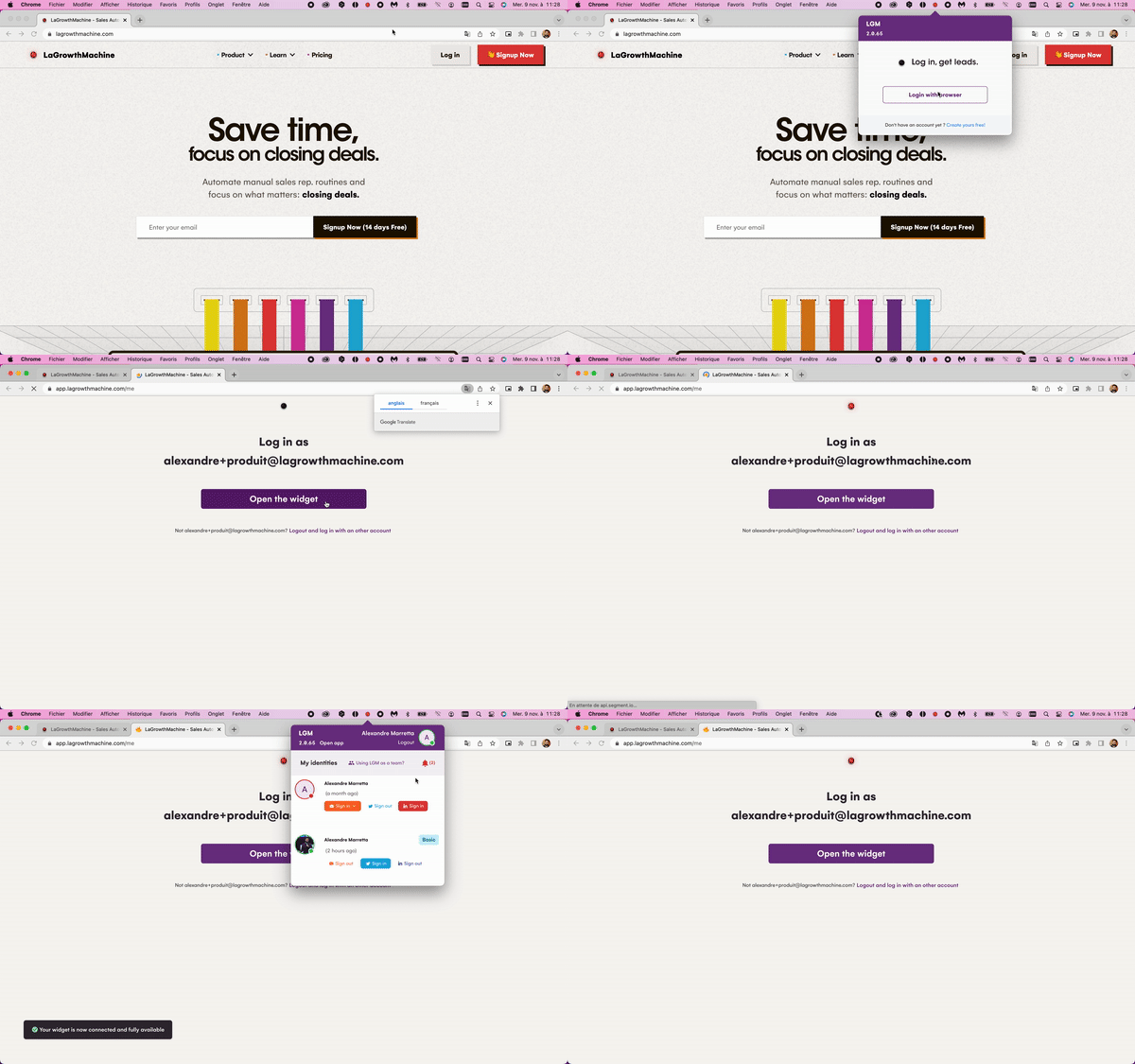
Magic what ? Magic Link ! It’s the new "password-less" login for your widget. Starting today, you won’t have to enter your username + password on the widget anymore. If your widget is disconnected, just click on the "Login with Browser" button, you will be redirect to your browser.
If you’re connected on your browser, you will be automatically logged in on your widget 👌🏾
If you aren't, connect on your browser & you will be automatically logged in on the webapp & your widget at the same time 👌🏾
LGM Inbox, 1st multi-channel mailbox, go live for everyone !
Every messages (email / Linkedin) are now centralized in 1 inbox ! Reply to your leads, whether they answered by email or on LinkedIn.
When did you start the conversation ? what did you discuss ? on Linkedin or by email ? when did he accept your contact request ? You'll get all your lead's info you need, straight in the conversation
LGM Inbox Pro tips :
Be Sharp & Organized : Use the Snooze feature, and never forget "Mr. Smith, on holiday until October 17"
Urgent ? Important ? Both ?: sometimes, you want to make sure the conversation stays "active". No problem, bookmark the conversation to pin it to the top.
New features for the LGM Inbox
Thanks to feedbacks from our 100 beta testers, we add some features to the LGM Inbox to help you, improve your inbox experience and save you time.
You can add your signature to your email from your inbox
Display Preview Link
You can filter your conversation with new filters : read / unread
You can add attachments to your email from your inbox
You can add images to your DM from your inbox
You have new shortcut : Cmd + ENTER to send message faster
Auto-resizing when you write your emails
💡 If you need improvement on your inbox, don’t forget to tell us here
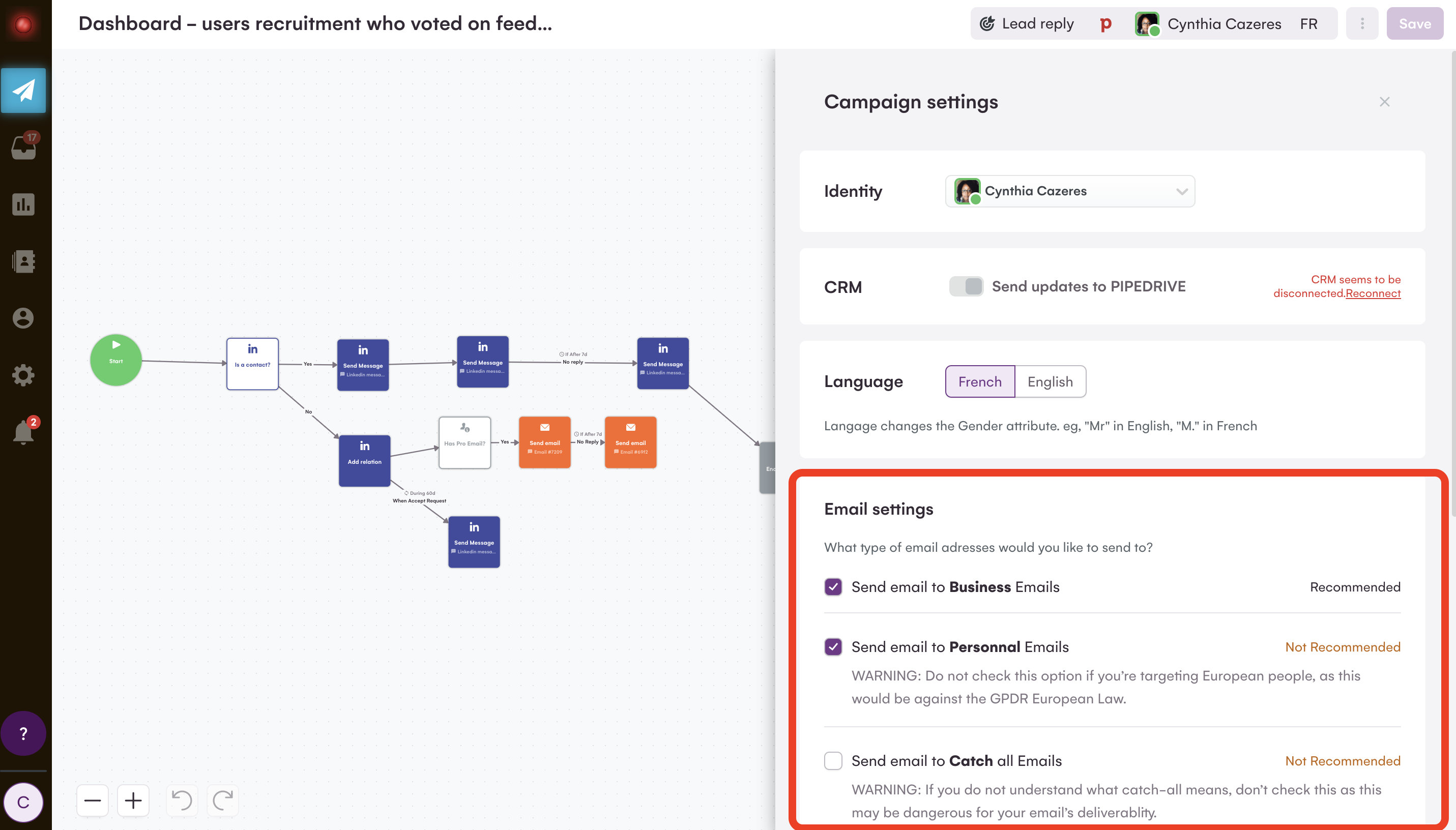
Setup your email settings at the campaign level
Your settings might change according to the target audience. This is even more important with team management since potentially several type of users/identities might start to build campaigns in the same account. So now, you can choose your email settings at the campaign level and not at the account level anymore.
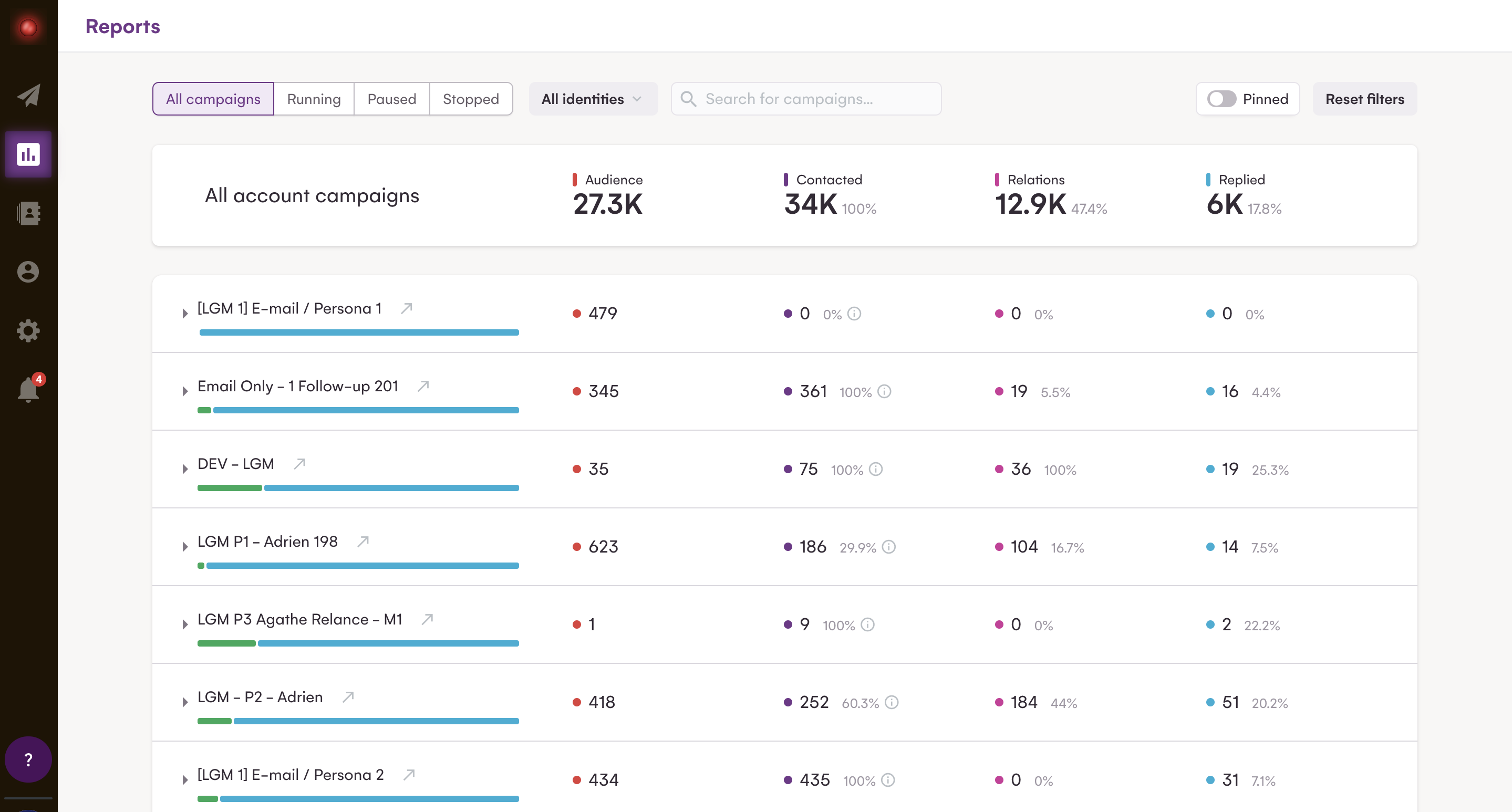
We just created the "Reports" page. It's an analytics dashboard where you can view & compare your campaigns' performances, including their open / reply / bounce...rates. It's now easier to visually compare the stats of your campaign. Better analysis means it becomes easier for you to identify what works and should be scaled VS what should be stopped 🤘
PRO tips: You can pin your favorite campaigns to quickly analyze their evolution (toggle on "only pinned campaigns" to filter on those campaigns).
Explicit info about the campaign progress
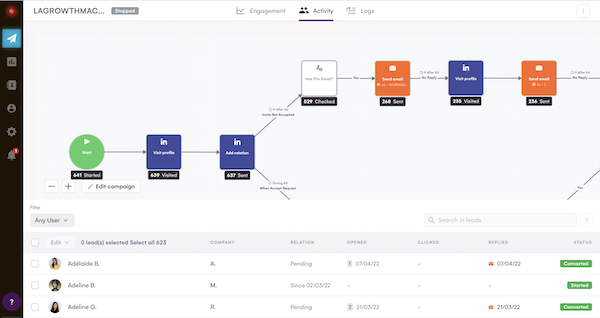
When you launch your campaign, you want to know what happens, where your leads are stuck or when it will finish. Well, it's now easier than ever with our new "Campaign Activity" page 🤩. For each step in your campaign, you can now see the number of leads who passed this step, the number of leads who took this or that branch, the associated stat for each branch, etc.
To go further, we also added the new "Completed" lead status. Leads marked as "Completed" are leads who...completed the whole sequence without any answer. You'll be able to filter & display those leads to understand leads who didn't reply and for whom you don't have any actions planned in the future (maybe it's time for a quick call 📞 ?).
New Email Condition : "If bounced...then"
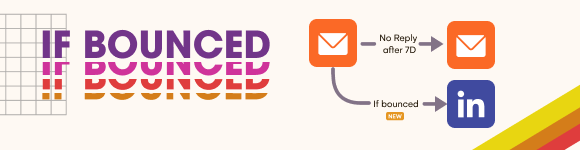
New "If Bounce" Condition LGM enrich your leads to find their professional email addresses. But sometimes, some emails will "bounce". Being able to identify those leads, and move them to another branch (let's say...send a LinkedIn DM instead of an email ?) can help you get more replies, easily.
That's now feasible with our new condition "If bounced".
A New in-app Help center
In-App Help Center! Open LGM, look at the bottom left of your screen, and you'll find a new widget. In this section, you'll find everything you need/want to know about LaGrowthMachine: articles, faq, help, chat, bug report, roadmap, product update...everything is now centralized into a single, simple place.
Fixes and improvements
Your stats on the activity page are now fixes and reliable
Your Linkedin replies are all detected
You can send your replies content again with Zapier
You can update the Pipedrive CRMid of your leads
A new lead statut : Completed for all leads who finished the campaign without reply
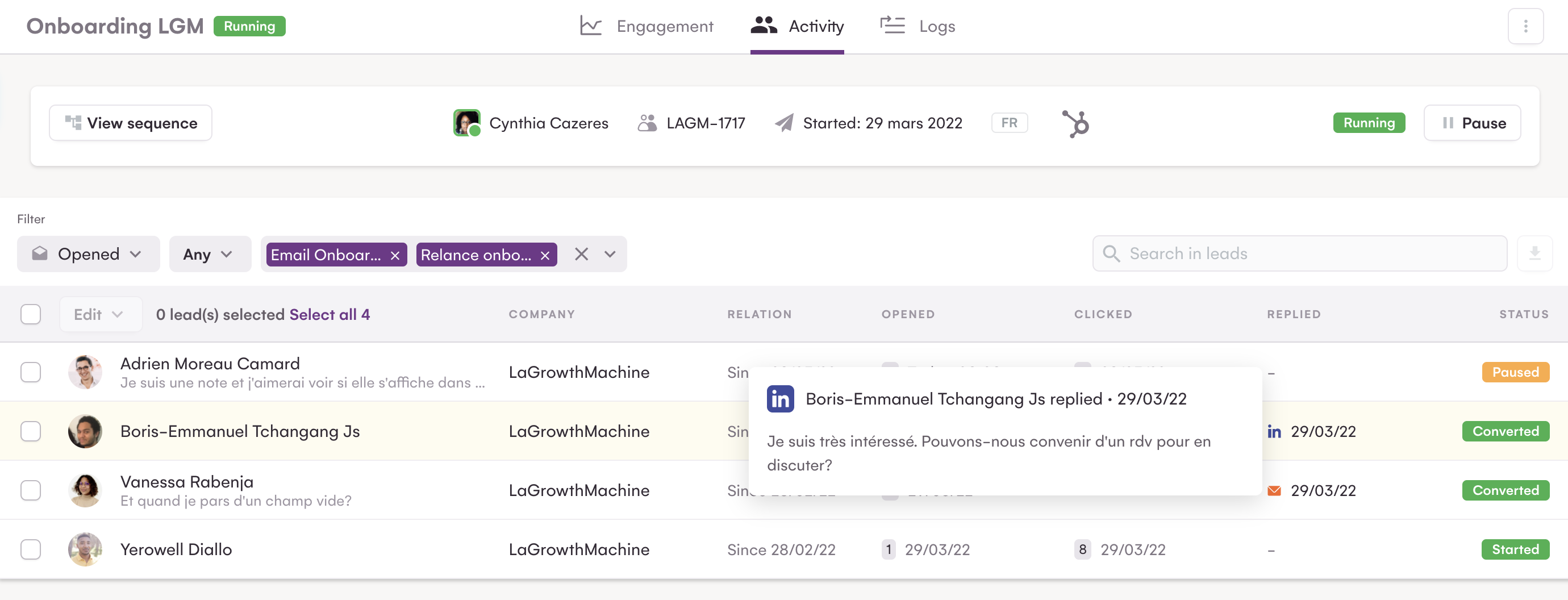
With the new filters, you can have more informations about your leads:
Which leads open/click/reply to one message or many messages.
How many time a lead open or click your messages.
Since when you are in relation on Linkedin.
Which leads bounced.
& more!
And now, if a lead replied, you can see directly in your app the lead's reply content. All those data can be exported in a csv. Go analyze your campaigns!
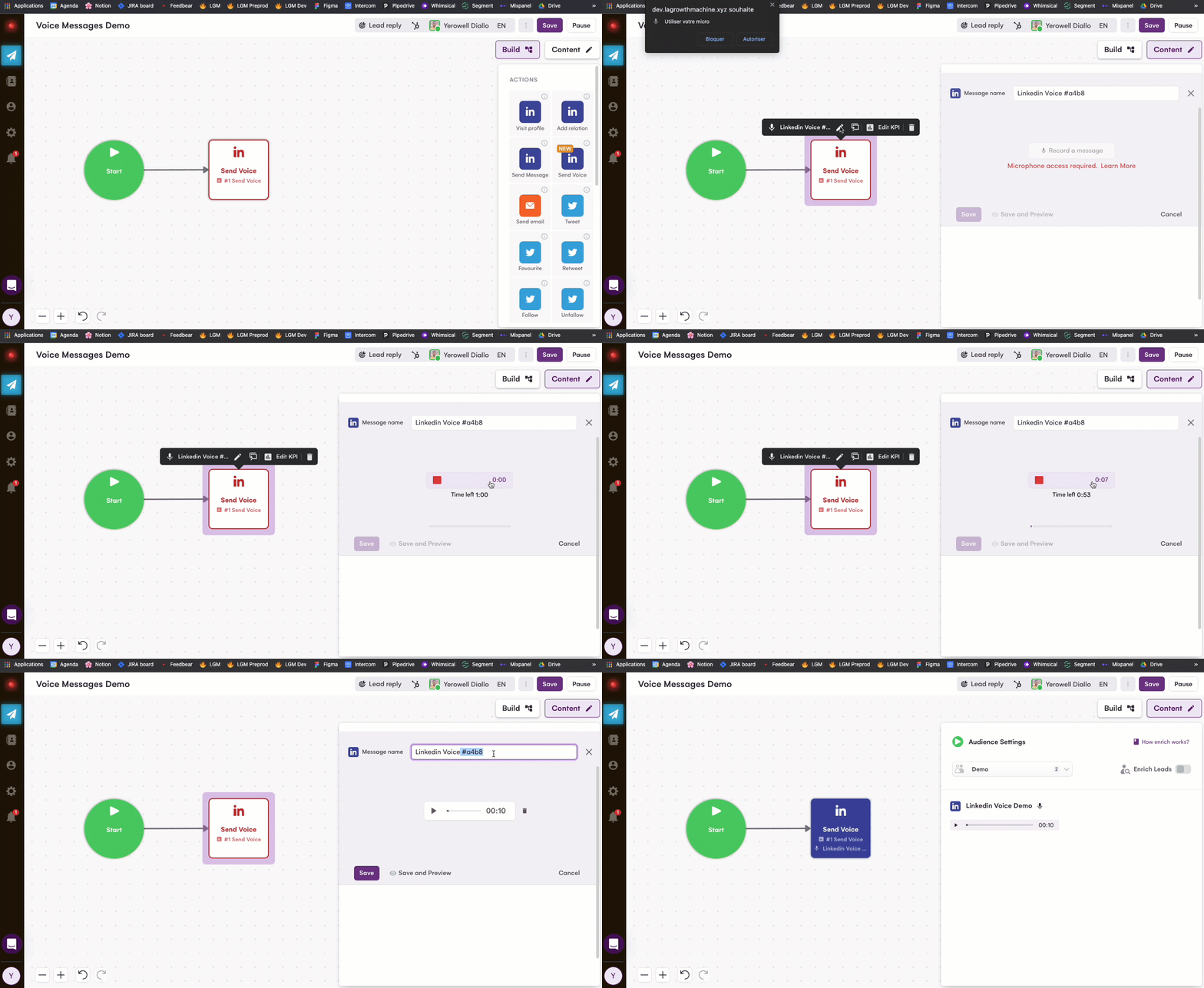
Have you noticed you can send Voice Messages in Linkedin? Everyone is used to the classic outbound strategy via email or direct messages, but Voice Messages are rather new and yet unexplored. It is the perfect way to distinguish yourself from the competition and improve your reply rate.
Even better, with LaGrowthMachine you can automate your Voice Messages! And, we made it accessible to all our plans. When you select a template with a Linkedin Send Message block, you can easily convert it into a Send Voice block (and vice-versa).
Your statistics have a new look but not only! In this new view, we highlight for you the key figures of your campaigns: discover your conversion funnel step by step, visualize your invites acceptation rate and identify our best performing network. And to go further, for each statistic, discover if it is considered a good or a bad performance. We will even share some tips to improve your campaign performance accordingly.
Tracking domains are a good way to improve the quality of your email outbound simply because it fuels your analytics. But, what's the point if it also decreases your deliverability in return? Indeed, using default tracking domains can often be counter-productive.
With the introduction of custom tracking domains in LaGrowthMachine, you can now track your email open rate / click rate and build your email reputation in the same time.
If you're not only using your own identity in LaGrowthMachine, but also the one of your colleagues or customers, then this is for you! With the introduction of teams, you can now invite teammates into your organization.
All the teammates will then be able to:
Import leads,
Access the campaigns,
Manage the identities,
Run the campaigns on their widget.
And, you won't need to share your passwords across colleagues anymore to do all of that!
What's an email without a proper signature? Well, you can now create yours in LaGrowthMachine and use it in all your campaigns. If you prefer to import the one you already use in Gmail, it's also possible.
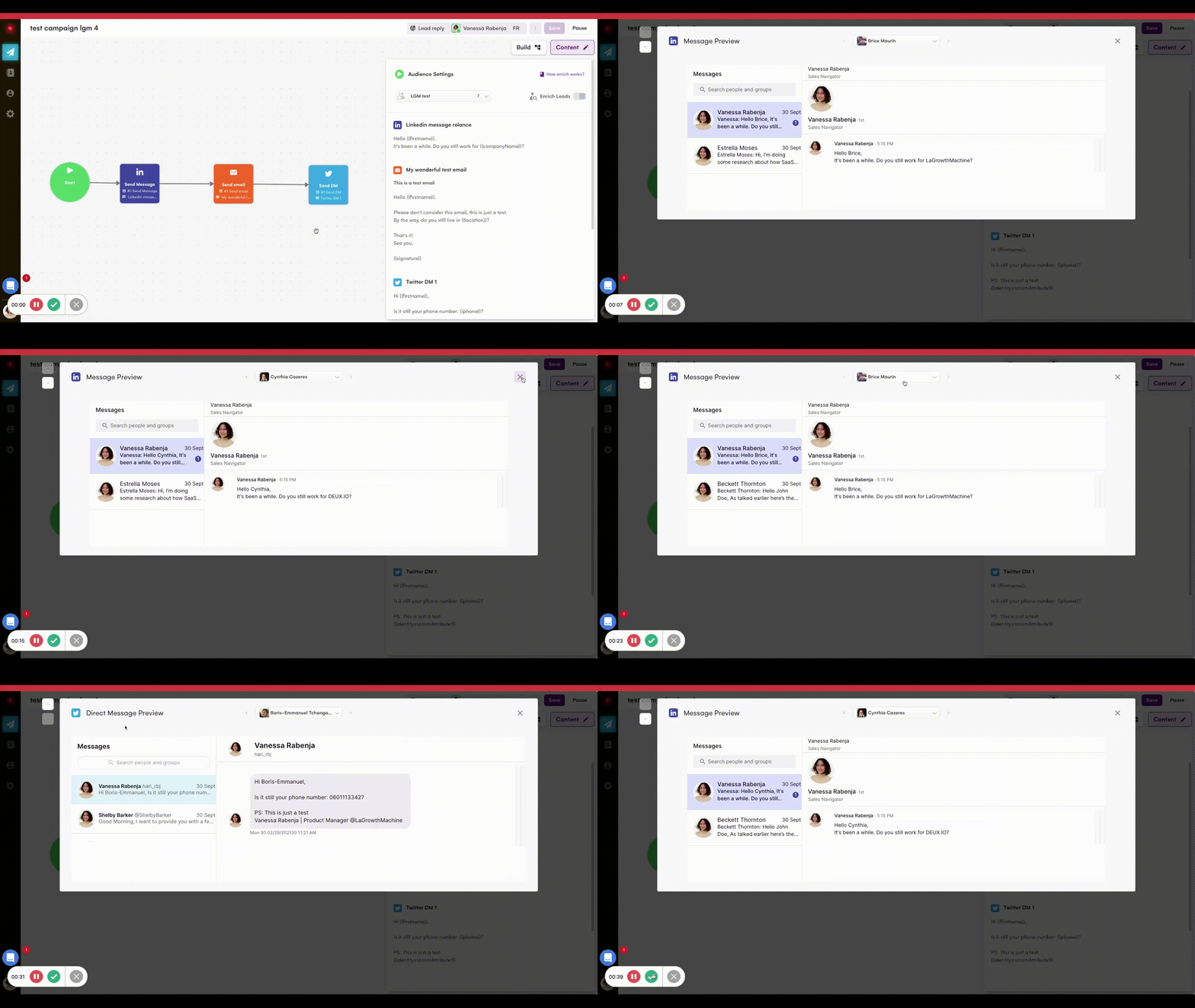
"Ouch, I've launched my campaign with the wrong variable". This is now a problem from the past: preview your messages content easily in LaGrowthMachine and prevent errors. Visualize your content, check the typos and test the variables for any lead in your audience.
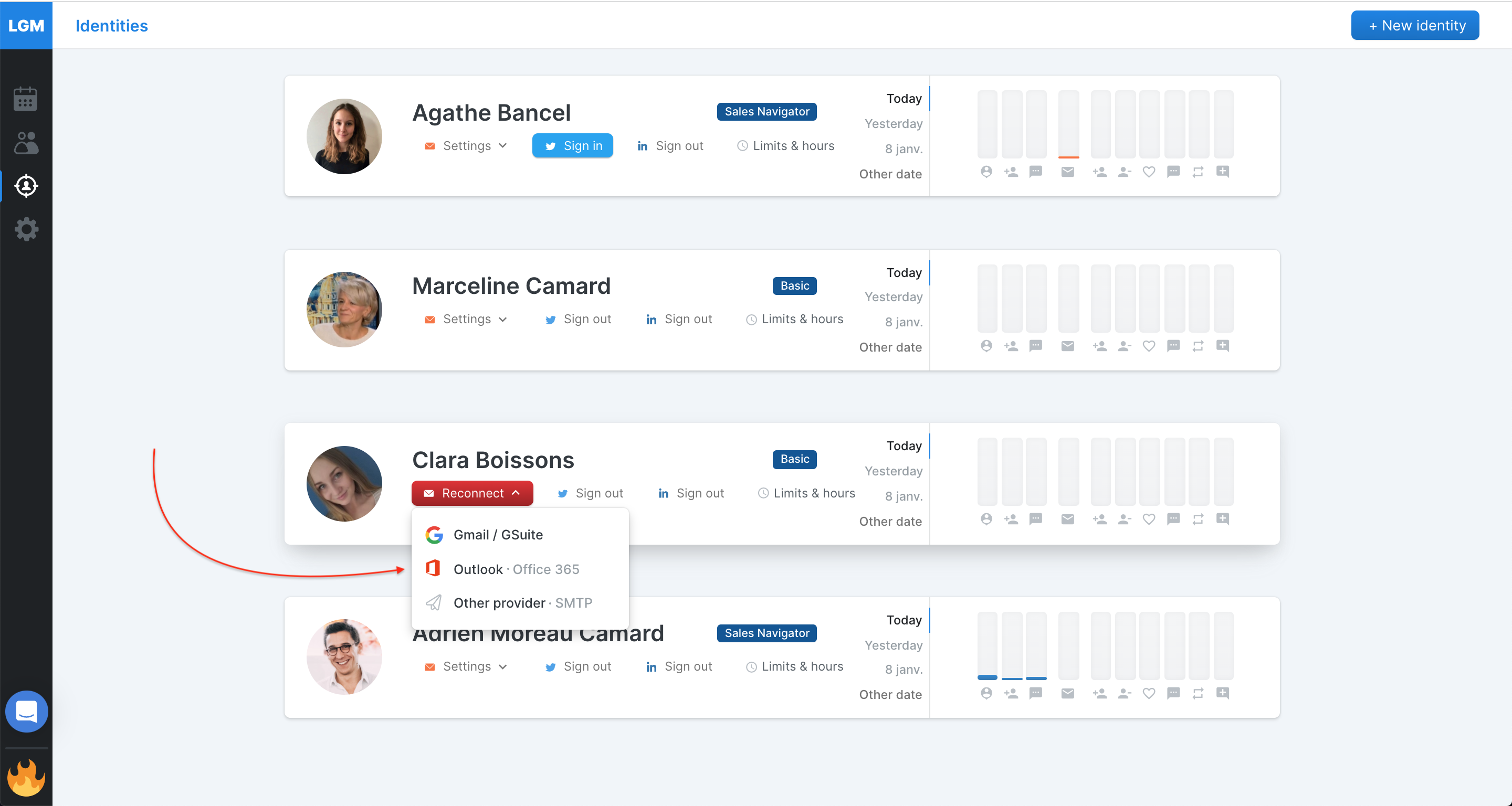
Connect your Outlook/Office 365 email You can now use Outlook natively within LaGrowthMachine. While you could already connect Outlook accounts using SMTP, this native integration with Outlook will be a lot easier to use : - Log in and authorize LaGrowthMachine to send on your behalf - DoneConnect Outlook Natively
Fixes and improvements - Added {{CRMid}} in the payload of Webhooks and our APIs - Added {{phone}}, {{proEmail}}, {{persoEmail}}, {{linkedinUrl}} and {{crmId}} as variables availables in messages templating - Fixed email notifications after reaching LinkedIn limits that were sent too many times - Fixed duplicate management of leads imported via CSV
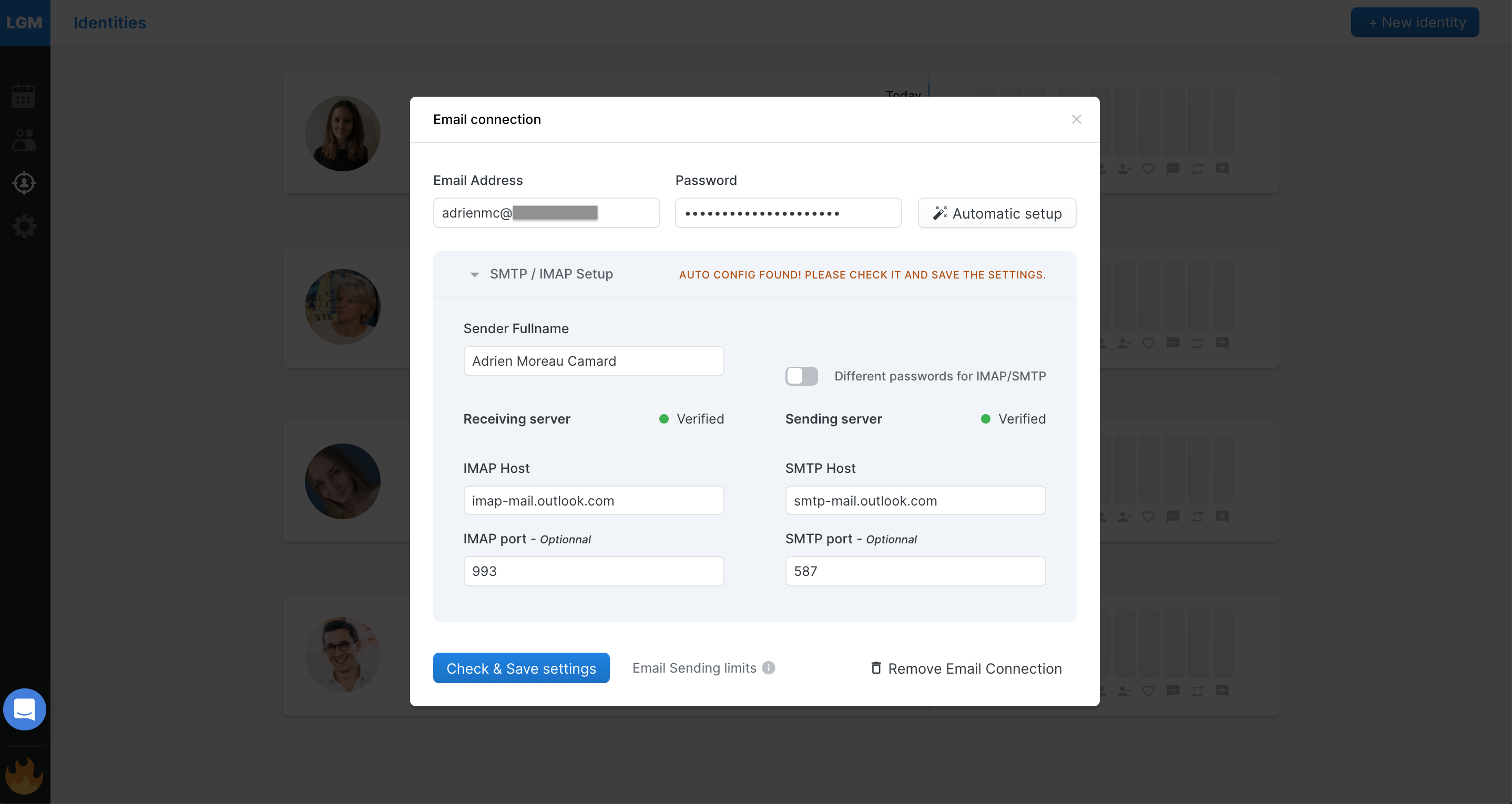
Automate with any email provider you want via SMTP LaGrowthMachine now supports automation from all email providers via SMTP.
Enter your email and password, use the Automatic Setup, and let the magic happen! Connect anything via SMTP! Using OVH? Outlook? You can now do automation via LaGrowthMachine!
Fixes and improvements - Added support of LinkedIn accounts that have multiple licenses (Sales Navigator, Recruiter, etc...) - Added synchronization of Twitter DM in Hubspot and Pipedrive - Fixed logging of Contact Requests sent via import in Hubspot and Pipedrive - Fixed ability to close the widget on Mac - Fixed primacy of imported data over enriched data
New Queueing systems Not very glamourous, but we've been hard at work revamping our action management system (i.e. Queue) so we may handle more clients over time.
This means for you : - More actions done daily - Faster synchronization with Hubspot/Pipedrive - Better synchronization of stats
It's all hidden - but it's all for the better!
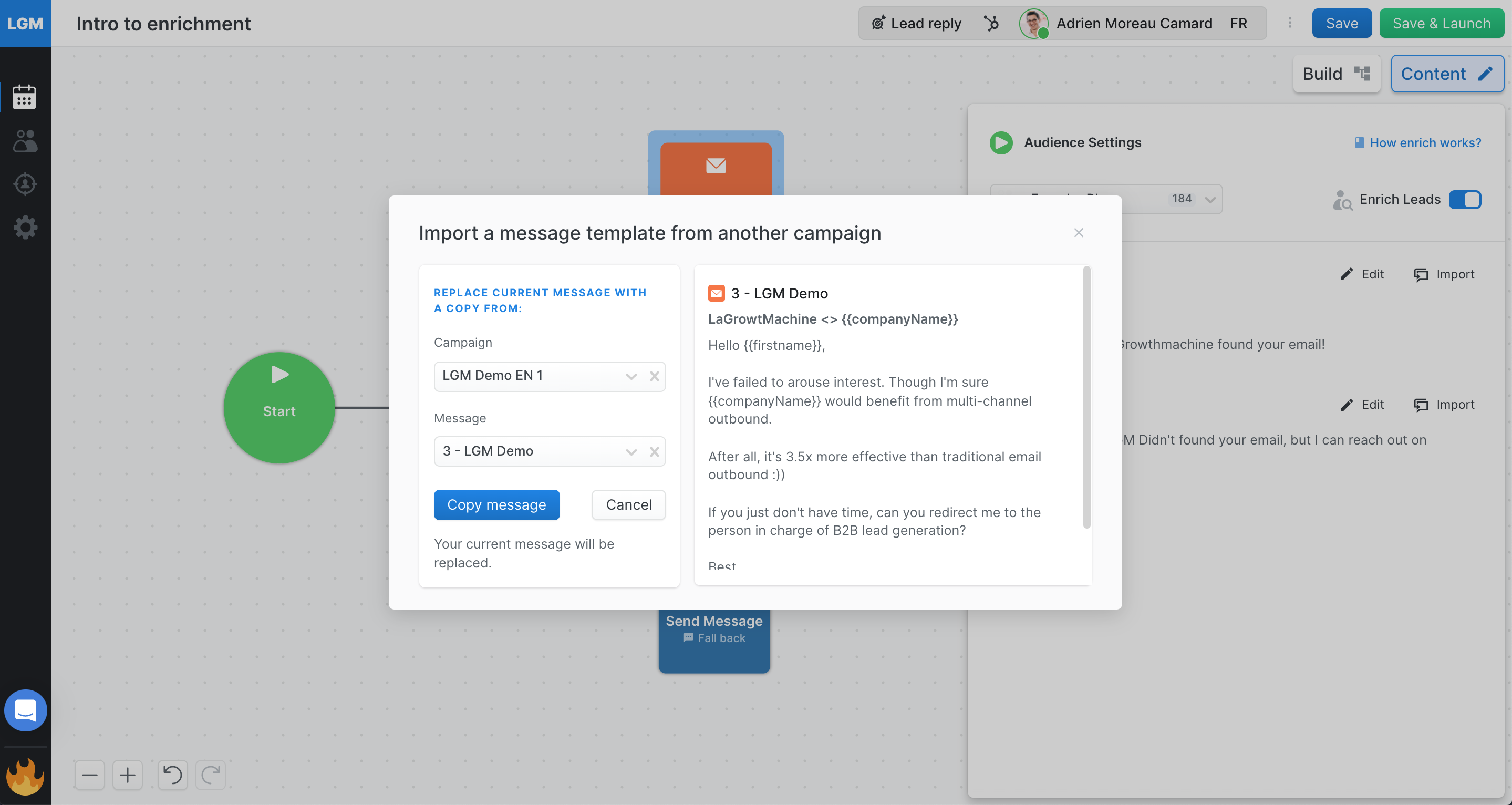
Preview view copying messages Copying messages from multiple campaigns used to be a pain as you could preview the message you'd copy - just its title.
You'll now have access to a preview of the message Much easier!
Fixes and improvements - Fixed daily email capping - Added logging in Hubspot and Pipedrive when a lead is paused - Fixed stability of Gsuite token - Fixed LinkedIn identity showing as disconnected when was not disconnected - Fixed tracking of clicks on email - when two links were provided, only the first one was tracked - Transitioned external APIs to the APIv2
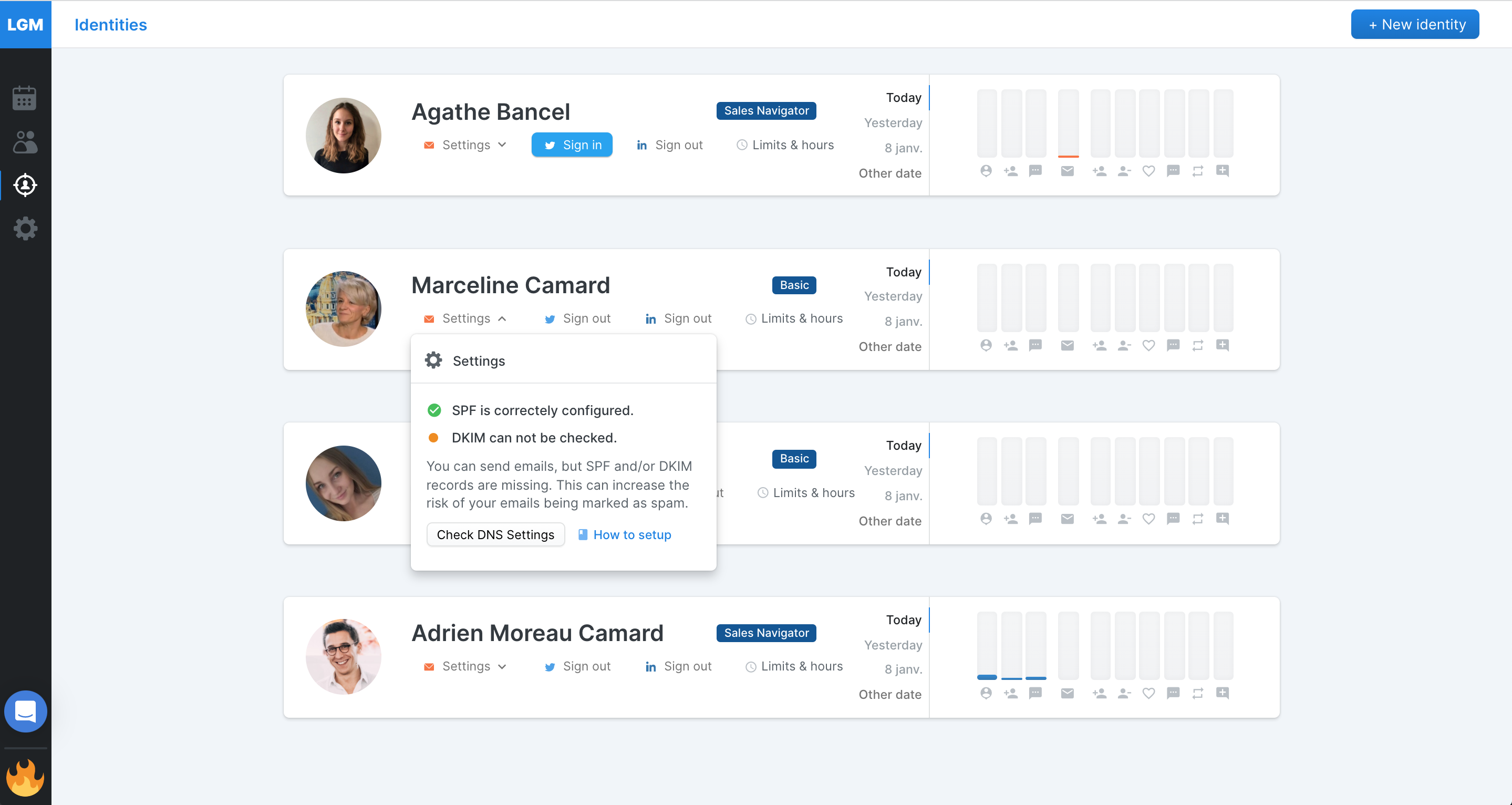
SPF/DKIM automatic checks LaGrowthMachine will send emails on your behalf via your Gsuite/Gmail account. But if some technical parameters are not properly set up, most of your emails will end up in spam.
LaGrowthMachine now automatically alerts you if these very important certificates are not set up. Oh something is wrong!
Head to the Identity Tab to check your setup and receive the appropriate guidelines
Fixes and improvements - Improvement management of duplicate in Hubspot and Pipedrive using firstname, lastname and companyName - Fixed saving of sequences when saved multiple times - Fixed sending email in the same thread that could fail - Fixed titles of copied messages
.gif)
.gif)



.gif)
.gif)
.gif)
.gif)
.gif)

 Powered by FeedBear